SITEBYTER SPOTLIGHT FOR WORDPRESS

Every Image Has
More to Tell.

Turn ordinary photographs into interactive experiences with clickable hotspots, immersive guided tours, and beautifully styled information.

Highlight the details that matter. Introduce a property, explain a product, showcase a destination, or guide visitors through a visual story—all within a single image.

Interactive images for WordPress. Plugin release coming soon.
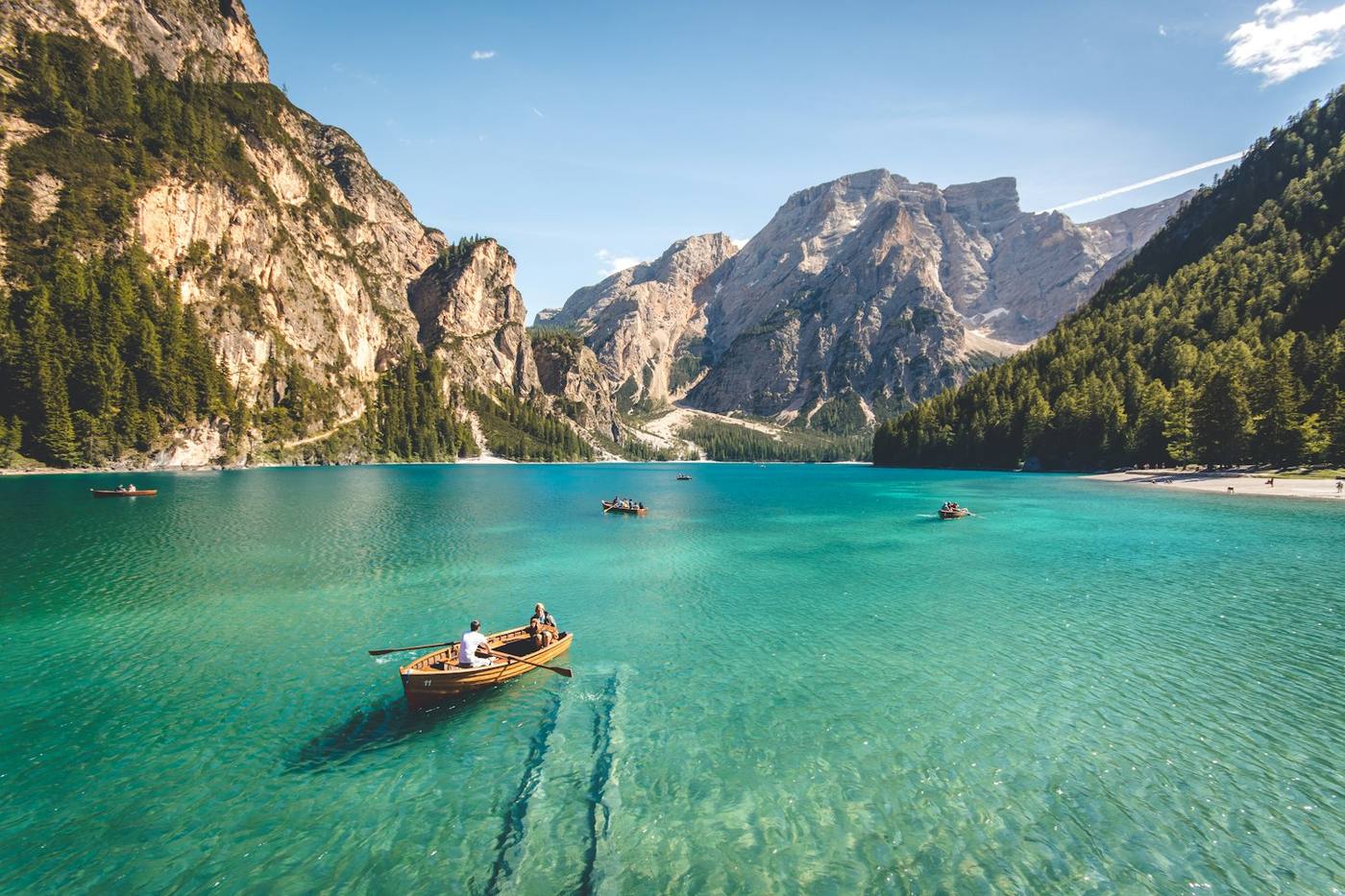
Alpine lake and mountains with example interactive image hotspots Mountain peaks Lakeside Explore the view
MORE THAN A PHOTOGRAPH

Make Your Images Worth Exploring.

A photograph can capture attention. Spotlight helps it communicate. Place interactive points directly on an image and let visitors discover information in context.

Give visitors the freedom to explore individual hotspots, or use Spotlight Pro to create immersive guided tours that move from one detail to the next. Dim the surrounding image, zoom into each point, and guide visitors through your story with Back and Next navigation.

INTERACTIVE PRODUCT DEMO

See What Spotlight Can Do.

Start with a home tour, room details, restaurant menu, or destination guide. Experiment with hotspots, guided tours, zoom effects, markers, and styling to see how Spotlight transforms an ordinary photograph.

Loading the demo…

INTERACTIVE IMAGE FEATURES

Give Every Detail Its Moment.

From simple interactive hotspots to immersive guided tours, Spotlight gives you the tools to make images more informative and engaging.

01

Interactive Image Hotspots

Place clickable markers on specific parts of a photograph. Add information that helps visitors understand what they're seeing.

02

Immersive Guided Tours

Spotlight Pro dims the surrounding image, zooms to each hotspot, and guides visitors with Back and Next navigation. Tours can also start automatically when scrolled into view.

03

Multiple Interaction Modes

Let visitors explore hotspots freely, follow a guided tour, or browse information using Pro's Side List presentation mode.

04

Custom Markers and Notes

Choose from Dot, Number, Plus, Ring, and Label markers. Present information using Light, Dark, Accent, or Glass note styles.

05

Advanced Hotspot Customization

With Pro, add an individual photo and button to each hotspot. Customize its pin color and spotlight circle to create a more engaging experience.

06

Zoom and Visual Effects

Spotlight Pro supports zoom-to-hotspot effects, advanced marker styles, and Polaroid or Browser image frames. Create experiences that draw attention to important details.

MADE FOR VISUAL STORYTELLING

One Tool. Countless Possibilities.

Spotlight works wherever a photograph has more information to share.

Real Estate

Create interactive property tours that highlight rooms, finishes, architectural features, and amenities.

Products & Retail

Explain product features, materials, components, and design details directly on product photographs.

Restaurants & Hospitality

Showcase menu items, ingredients, dining spaces, and guest experiences with interactive images.

Travel & Tourism

Help visitors discover landmarks, scenic details, destinations, and points of interest.

Education & Training

Annotate diagrams, explain visual concepts, and guide learners through important information.

Design & Architecture

Highlight lighting, materials, furnishings, and architectural details within finished spaces.

SIMPLE TO CREATE

From Image to Interactive Experience.

1

Choose Your Image

Start with a photograph, product image, or other visual you want to make interactive.

2

Place Your Hotspots

Add markers to important areas and enter the information visitors should discover.

3

Customize the Experience

Choose markers, colors, note styles, and frames. With Pro, configure guided tours and individual hotspot enhancements.

4

Publish on WordPress

Copy the generated shortcode and place your interactive image into your WordPress content.

FREE AND PRO

Start Exploring. Unlock More Possibilities.

Create interactive images for free, then upgrade to immersive guided tours, advanced customization, and more hotspots.

GET STARTED

Spotlight Free

$0

Everything you need to create engaging interactive images.

  • Up to 5 hotspots per image
  • Explore mode
  • Dot and Number markers
  • Light and Dark note styles
  • Accent color selection
  • Shadow image frame
  • Shortcode publishing
Try Free Features
ADVANCED INTERACTIVE EXPERIENCES

Spotlight Pro

$5.99 / month

Create immersive, guided image experiences with advanced hotspot controls. For five WordPress sites.

  • Everything in Free
  • Up to 60 hotspots per image
  • Guided Tour with Back and Next navigation
  • Dimmed image with zoom-to-pin effects
  • Optional auto-start when scrolled into view
  • Side List interaction mode
  • Plus, Ring, and Label markers
  • Glass and Accent note styles
  • Polaroid and Browser image frames
  • Individual photos for each hotspot
  • Individual buttons for each hotspot
  • Custom pin colors per hotspot
  • Individual spotlight circles
Explore Pro Features

Proposed Pro pricing: $5.99 monthly, $49.99 annually, or $149.99 lifetime for five sites. Final pricing and purchase links will be confirmed before release.

FREQUENTLY ASKED QUESTIONS

Questions About Spotlight

What is an interactive image hotspot?

A hotspot is a clickable point placed on an image. Visitors select it to discover information about a particular feature, location, or detail.

How many hotspots can I add?

Under the planned Free and Pro structure, Free supports up to 5 hotspots per image. Pro supports up to 60 hotspots per image.

How does the Guided Tour work?

Spotlight Pro dims the surrounding image and zooms toward each hotspot. Visitors move through the tour using Back and Next navigation. You can also configure the tour to begin automatically when scrolled into view.

Can each hotspot have its own photo and button?

Yes. Spotlight Pro supports individual hotspot photos and buttons, along with custom pin colors and spotlight circles.

Can I customize the hotspot appearance?

Yes. Spotlight includes multiple marker types, note styles, accent colors, and image frames. Pro unlocks advanced styling and individual hotspot controls.

Can Spotlight zoom into an image?

Yes. Pro supports zoom-to-hotspot effects that bring important details into focus.

How do I publish an interactive image?

Spotlight generates a shortcode that you can copy into supported WordPress content areas.

Is Spotlight available to download?

Spotlight is being prepared for release. You can explore the plugin's features using the interactive demonstration.

MAKE EVERY IMAGE MORE ENGAGING

Don't Just Show It.
Let Visitors Explore It.

Transform a single photograph into an interactive experience that invites visitors to look closer, discover details, and follow the story behind the image.

Try the Spotlight Demo WordPress plugin release coming soon.